Appearance
Welcome to CauseVox
CauseVox is a unified fundraising and donor management platform. Fundraising, CRM, and financial tracking are built into one system from the ground up — so your team works from a single source of truth instead of juggling disconnected tools.
Why a Unified System Matters
Most organizations rely on a patchwork of separate tools for online fundraising, donor management, and accounting. Even platforms that market themselves as all-in-one solutions are often assembled the same way — individual products acquired over time, re-branded under one name, and connected through loose integrations. The user interface may look unified, but underneath, data still lives in separate systems that sync on a schedule, if they sync at all.
The result is the same whether you're managing the integrations yourself or trusting a vendor to do it for you: records drift out of sync, staff spend hours reconciling data across modules, and no single view of a donor or dollar is ever fully reliable. A supporter updates their address on your giving page but it never reaches your CRM. A refund is processed but your finance team doesn't find out until month-end.
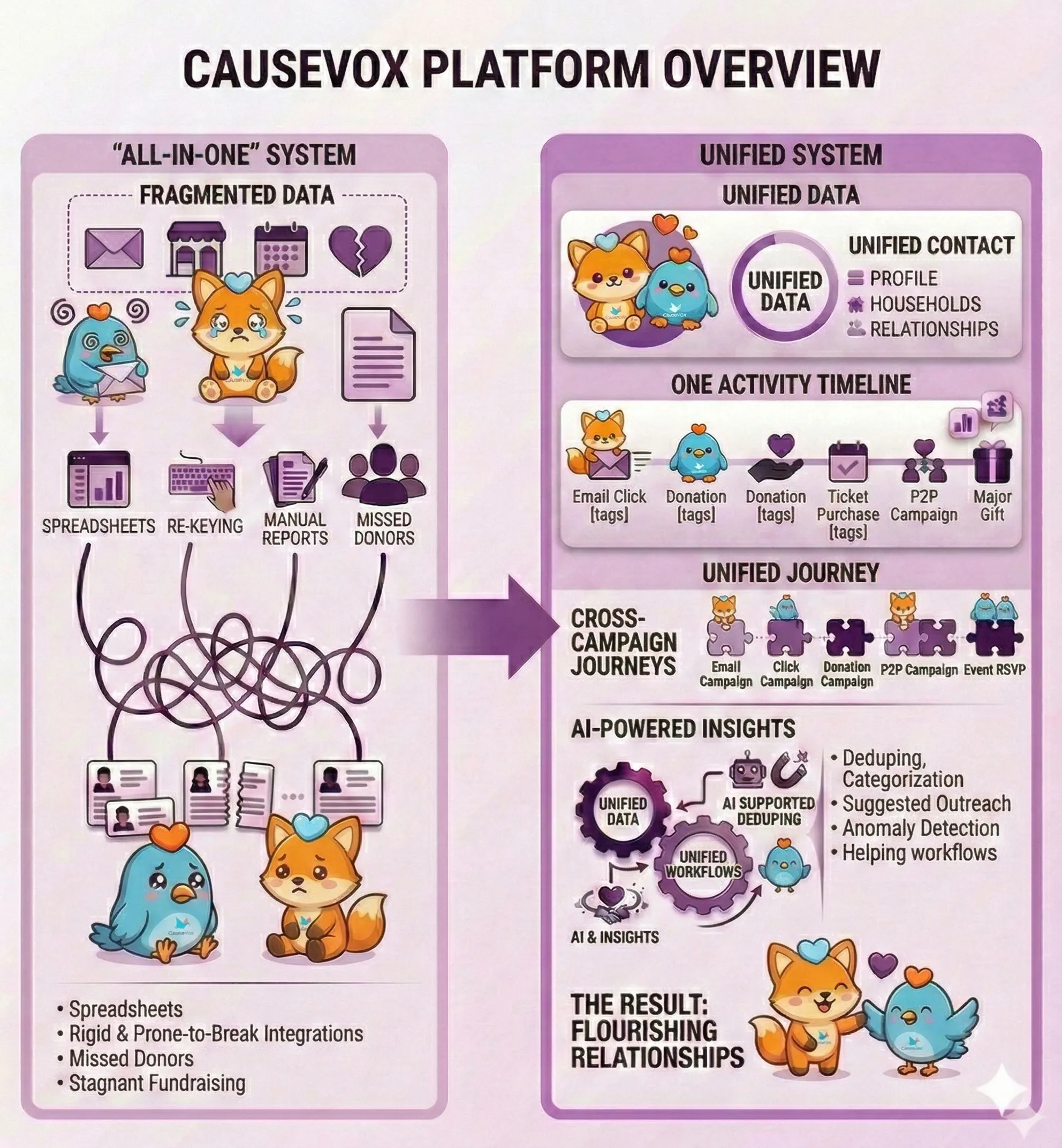
CauseVox takes a fundamentally different approach. Rather than acquiring separate products and wiring them together, every part of the platform — campaigns, donation forms, contact records, revenue tracking, reporting — was built on the same codebase from day one. When something changes in one place, it's reflected everywhere immediately. There is no export step, no sync delay, and no middleware to maintain.
This isn't about checking feature boxes. It's about building on a single foundation so your team can trust the data and focus on the work that matters.
The Platform at a Glance
CRM — Your supporter database. Contacts, households, and organizations are created and updated automatically as people interact with your campaigns. Every giving history, event attendance, and communication lives on the contact record.
Campaigns, Sites & Forms — How you raise money. Campaigns organize your fundraising efforts. Sites are full fundraising pages (crowdfunding, peer-to-peer, events). Forms are standalone checkout flows (donations, tickets, registrations) you can embed anywhere.
Manage Resources — Your fundraising activity in one place. Donations, recurring profiles, pledges, tickets, registrations, auction bids, and fundraising pages — everything that comes in through your campaigns, organized around the donor and supporter experience.
Revenue — The finance side of every transaction, covering both received revenue and expected revenue: what's been collected and what's still committed. Payment details, revenue splits, credits, and solicitor tracking — so your finance team always knows where the money came from and where it's going, and so you have the data your accountant needs when posting to your books.
Reports & Data — A powerful query builder that can pull from any field in the system, plus mix-and-match Insights dashboards where you build visual analytics from a library of widgets spanning CRM, revenue, and campaign data.
How It All Connects
Because everything shares one data layer, actions ripple across the platform automatically:
- A donor gives online — a donation record is created, revenue is recorded with payment details and splits, the contact's giving history updates in the CRM, and campaign progress ticks forward.
- Someone buys event tickets — ticket records are created, revenue is tracked with the correct fund allocations, and the buyer's contact record is created or updated in the CRM.
- You batch-import offline donations — each imported donation creates both a fundraising record and a revenue record, contacts are matched or created, and campaign totals update.
- A recurring gift is processed — the new installment is recorded, revenue is logged, and the contact's lifetime giving updates — no manual intervention needed.
Tags and custom fields extend this further. Tag contacts, donations, or any record with your own categories, and add custom fields to capture data unique to your organization. These flow through to reports and dashboards, so the platform adapts to however your team works — not the other way around.
Start with the guides
Each section above links to a getting-started article that explains the area in more detail. Read through them in order for a complete orientation, or jump to the area most relevant to your role.